
Fountain's Developer APIs enable Fountain's clients to access and modify their hiring data.
If you are a Fountain partner, please refer to partners.fountain.com for guides on integrating with Fountain.
Fountain API Overview
Fountain offers REST APIs that allow you to programmatically manage your applicants and workers across the entire Fountain product suite. You can use these API's to automate tasks, trigger actions when changes occur, or synchronize your external systems with Fountain.
Authentication
For Hire-specific authentication (non Fountain One customers), please refer to the Hire API Overview.
Fountain One OAuth Flow
You can create two different types of Fountain API keys:
- Personal keys: navigate to your Profile, then scroll to the Manage API Keys section, where you can create, view and delete your API keys. API keys are personal and unique to your own account, and have the same permissions as your user. You can create as many API keys as you want for your account, which is how you will be able to rotate them easily.
- Integration keys: navigate to Settings > Integrations & API Keys, create an integration, then create an API Key for that integration. When creating an integration, you need to select a role for that integration, and all API Keys for that integration will have the permissions defined by that role. We encourage you to create the most restricted role possible for the integration you are building. You can create as many integrations as you need, and as many keys as you want for each integration, which is especially useful if you need to rotate API keys periodically.
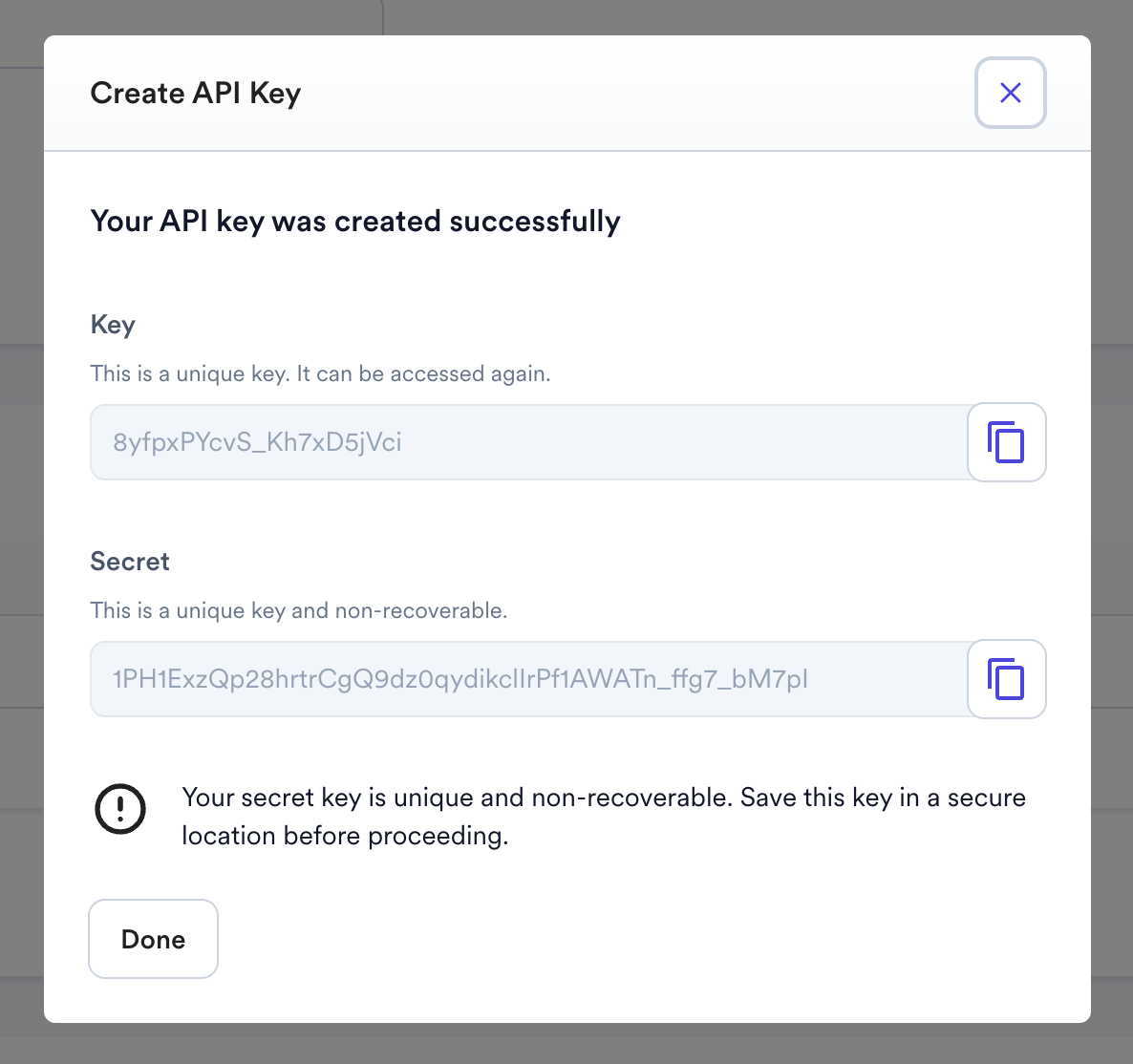
When creating an API key, make sure to copy both the Key and Secret strings as you will need both to authenticate later and won't be able to view the Secret key again after you close that screen.
Fountain uses the OAuth2 standard authentication flow to generate an Authorization Bearer token. The resulting authentication token is valid for 60 minutes.
- Access token URL: https://services.fountain.com/api/servicesecurity/processes/apikey/oauth/token
- Grant type: client_credentials
- Client ID: your API key
- Client secret: your API secret
- Scope: employer
This is equivalent to performing the following call then using the resulting token for subsequent requests to the API:
curl -X "POST" "https://services.fountain.com/api/servicesecurity/processes/apikey/oauth/token?grant_type=client_credentials&scopes=employer" \
-H 'Content-Type: application/x-www-form-urlencoded' \
-u 'API_KEY:API_SECRET'
All subsequent requests to Fountain's API will be in the form:
curl "https://services.fountain.com/api/serviceworkforce/workers" \
-H 'Authorization: Bearer AUTH_TOKEN'
Or if you are calling a Hire endpoint, using the same base URL regardless of tenant:
curl "https://services.fountain.com/api/servicehire/v2/applicants" \
-H 'Authorization: Bearer AUTH_TOKEN'
The servicehire base URL resolves to your own Hire tenant from the token itself, so the token must come from the OAuth flow above. A token issued by any other endpoint carries no tenant to resolve, and the request answers 404 with an empty body rather than an authentication error.
Hire API keys (legacy)
The Fountain Hire suite offers other ways to authenticate. The above method is however the preferred authentication flow. Please refer to Hire API Overview for more information on other Hire API authentication methods.